Showing posts with label Android application development. Show all posts

Thursday, 12 January 2012

Android Developers uses Android development for multi-tasking

Android is well known to all using the smart phones these days. A lot of smart phones around the glove run in Android platform. A mobile phone has a lot of limitations. To resolve these limitations the Android multi tasking was developed by the Android developer. The main uses of the android multitasking platform are listed below. Android developers help the user to use several applications at the same time without much waiting time. That when a user who is using the music player wants to check his mail. He can shift from the music application to the mail application within no time and similarly get back to the music application to the mail application. All this is done within a second. Because too much waiting time make the user very irritated. This is the main use of the Android multi tasking. Since the user will be using a lot of application for short time and also more often he cannot go and click the option called done after he is done with the application. If the user has to click done after using ever application it becomes very cumbersome. For this the android multitasking was developed. It allows the users to close the application without having to click the done every time. Similarly the memory space available in phones very less as they do not have the swap space. So the android application keeps this in mind while running an application. That is in the phone the applications are there but the user gets the feeling it is not only there but also running. That is the main advantage of android. Due to the limited RAM availability all applications can’t keep running but with Android the user gets the feeling all the applications are running. The android development uses the API that is the same as what the third party user’s use. This is another advantage. With all the above uses Android application development is becoming the most commonly and most proffered platform for the mobile users. Users find it difficult to use any other platform after having used the android development mainly because of its multi tasking facility, which no other platform provides.

Thursday, 5 January 2012

Touch Mode in The Android UI Tool Kit

The user interaction and the hierarchical view are all based on the touch mode. The touch mode is a very easy to use option and the previous user if has been on touch mode that will remain unchanged despite the user change. By making use of the android application development device you can exit the touch mode by selecting the widget and the trackball. But the shortest and easiest method to enter this mode is by touching on the button provided on the screen. As many modes other than the touch mode are available on the screen like the navigation mode, trackball mode there is lot of confusion prevailing in this perspective also.

The Android Application development UI toolkit is difficult to design due to the mechanism of interaction. As there are several options available for touch screen like the stylus, keyboard or the combination of both designing a neat and consistent android application development is challenging task. As the users have the freedom to choose which ever option they are comfortable in the Android development of touch mode is even more difficult. Much issue arises in such development and one such issue could be understood with the simple example of ApiDemos application.  As per this the user will use the trackball and select the items or make use of the touch screen directly. If the user select any one of the items and then scrolls down then issues like if the selected item ahs to be cleared off or not and many others will crop up. As a result of this confusion the focus and selection option has been completely removed in the touch mode.

Though there is no focus mode in the touch mode however there is an advanced option called the focusable mode. In order to receive the text by the widgets and for filtering the list view the focusable option is available for easy navigation. Such mode is activated through the XML codes.

While making use of the touch modes do not use the focus and selection option at all. Be careful to sue the core applications and also consistent enough in applying the same.

Sunday, 20 November 2011

Google Has Updated The Doc Apps For Honeycomb Tablets

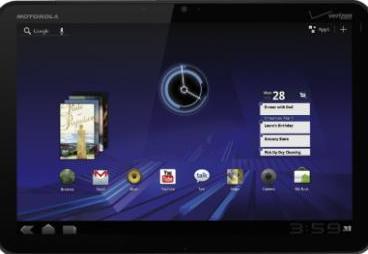
With the latest announcement of Google through the blog , they have updated the Google docs that is compatible for honeycomb tablets the latest of the Android mobile applications there is a lot of expectations from the users point of view. The features are such designed by the Android developers that it enhances the larger screen space of the honeycomb tablets.  It contains a three window view which helps in better and easy access to the documents and collections. The panel is designed in such a way that all the kinds of documents could be viewed at a glance without many efforts. The documents to be opened could be done quite easily with just a tap on the icon of the Google docs.


The entire screen has been segregated into three portions like the left. Centre and the right panel. The left panel displays all the starred items that could be viewed in future. The centre is dedicated to all the personalised collection of documents and the right panel is for previewed items list. Witrh such an advanced view panel searching for a document is so easy and time saving. The better use of the larger screen space also enhances the values of using a Honeycomb tablet. It also contains a panel that will show the details of the content and also a thumbnail for quick opening of the documents.

Besides the above features the Google docs also supports the view of both portrait and landscape modes. This is a major feature that enables the users to make use of both the modes and thereby help in optimum utilisation of the different screen sizes of the various kinds of tablets.  The new Google doc apps also support 46 languages for the Android mobile applications of the version 3.0 honeycomb Tablets.  The new updates also supports auto complete system which helps in better sharing experience.  The 3 panel feature of the Google docs helps in easy and better navigation through the various documents. It looks similar to Microsoft Outlook, Twitter app for Mac.  Another added feature is that with the help of the Google docs you could also create word files and excel sheets and attach photos and videos attached to it.

Friday, 18 November 2011

Packed With Advanced Features Android 3.2 Is Ruling The Market

Android mobile application has come with very frequent version changes that cater to the fixing of bugs or adding newer features. The latest in the bandwagon is the Android 3.2 that is loaded with some high end features to take the users by storm. Android has always been an operating system that provides the users with flexibility and ease of operation.  Every time there is a new version released by Google for Android there is a lot of added features that is sure to answer the queries of the previous version. Each version is getting better and better and thus the users are satisfied.

Added Features:

The Android development has led to the latest version 3.2 which supports various kinds of Android powered devices. One of the noteworthy points of this version is that it contains a zoom to fill screen compatibility that helps the users to make use of the screen space to the maximum. The users could in fact have a better and effective control over the display mechanism of their content and thus make the maximum utilization of the feature. The standard and generalized view size is overlooked with this feature giving the Android developers a better use of the system.

Besides this the latest version support the transfer of the files directly from the SD card on to the application that is required to run them. This saves lot of time and effort in operating the system.  The improved screen support provided by the Android 3.2 cannot be overlooked as it puts the screen space to the best use by taking into consideration the vital aspects like smallest width and height and width concepts.

Android development is done in such a way that is after so many research and studies that it is compatible over vast range of android powered devices. There is a downloadable format of the Android 3.2 that comes with it Android library, system images, emulator skins and many more. With so many features packed into the Android 3.2 it becomes really irresistible.

Wednesday, 2 November 2011

Reasons To Buy An Android Product

Among all the reasons to purchase an Android powered product, there are a few that top them all. Android has aspects that make it worth taking into consideration when you buy your next smart phone device. Android developers have made this product in order to fulfill the independent needs of individuals.

The first most important reason why it would behoove consumers to buy Android products is because it is open source, which means that developers, and even consumers, can customize, edit, and modify the software to their needs and purpose. A great way to describe Android is that it allows consumers to use the product according to their life, instead of having a fixed product forcing consumers to act a certain way. It allows for freedom, which is one of the most appealing characteristics to a consumer.

Another way the Android OS is beneficial to the people who use it, is its compatibility and ease of use. You will not have to download other unnecessary software or programs in order to use your Android device because it works with any PC. There is also the ability to use expandable memory unlike Apple products, which are limited to how much memory your device comes with. You will be able to store music and videos simply through plug and play. You will also be able to sync your device with your computer easily. These characteristics are what you are looking at when shopping for devices, simplicity, and Android is simple.

The last major feature that is most noteworthy is that Android devices are inexpensive. They are lower priced than some of the competitors. It is because the phone companies are able to manufacture phones with different functionalities, from simple phones to top of the line smart phones. They all run on the same software, but they are able to be set at different prices, sometimes lower than the standard cost. Apple devices only become inexpensive when newer models come out, otherwise the prices for those phones or tablets remain high.

These are the top reasons for you to go out any buy an Android device. The Android developers are always coming up with great new products, and the Android development over the years is proof of just that.

Tuesday, 1 November 2011

Android 2.3 And Its Various Highlights


Android 2.3 is a new version of the Android development platform. It comes with remarkable productivity enhancements for both the Android device users and Android developers. A few highlights of Android 3.2 are listed here for an overall perspective of the platform.

User Interface Refinement

Much effort has been expended in developing an user interface that renders a polished user experience and offers easier navigation among the Android mobile applications. The menus, notification bars, and other interface items appear against a dark background making the colors vivid and sharp.

Efficient Text Input   

The redesigned on-screen keyboard enables faster text input and easier editing. The keys are placed optimally and it is easy to target and press the key accurately. Dictionary     suggestions are integrated and the user can select from the list of options displayed.

Control Over Applications And Power Saving

Android 3.2 puts the user in total control of the Android mobile applications on his device. A better insight is provided into apps processing in the background, usage of memory, etc. The user has provision to monitor battery usage and power consumed by ever app. Android 3.2 proactively handles apps that run for too long or apps that monopolize CPU resources – the user can even terminate misbehaving apps through the “task killer”.
       
Native Code Development Features

Android 2.3 Native Development Kit gives Android developers the ability to capture sensor inputs, design 3D graphics contexts, access storage and assets, etc. Android developers can use the native code to write complex Android mobile applications based on sensor types like gyroscope, rotation vector, barometer sensors enabling Android developers to track motion and orientation. An Android development company can use the native code to develop Android mobile applications of outstanding productivity.

New Communications Options

Android 3.2 includes a suite of versatile communication tools such as
  • VoIP (Voice over Internet Protocol) that allows users to make voice calls over the internet
  • NFC Reader (Near-field communication reader) that reads the tags with wireless technology
  • Download manager that can be accessed by other apps to store downloads in a common location making downloaded content management efficient
  • Camera app that lets the user to access multiple cameras on the Android-powered device

Thursday, 1 September 2011

Push Notifications For Android Development

If you want to become one of the well known Android developers, you will learn that implementing push notifications for Android is quite simple. Once you download the SDK, Android application development will be very easy to understand and use. You will set up your first application very fast. There are basically three different ways you could use for implementing push notifications: the poll, SMS and persistent TCP/IP. All of these ways have their disadvantages so you might want to know them before you think about offshore Android development.


Poll

The main idea of the poll is to periodically push the server and get to a real time push. You might opt for this Android development alternative for implementing push notifications. However, besides the advantage that it is free and it is very easy to implement, you need to be aware of the disadvantages too. The biggest disadvantage of them all is that you will actually never be in real time. Thanks to the recent Android development, you will be able to poll once in a while without killing your battery. For example if you will poll at 30 minutes intervals, you might receive a message half an hour later.

SMS

Intercepting text messages is one of the key features of the latest offshore Android development. This method will allow you to push notifications too. Moreover, you will enjoy that unlike polling this method will allow you to be in real time and it is easy to implement as well. However, you need to be aware of the cost disadvantage which may be extremely important. Both you and your user might have to pay serious money when using this Android development.

Persistent TCP/IP

This is the last of the options you have for implementing push notifications on your Android phone. While this Android development will help you stay in real time, you should know that you will surely have problems implementing it. It is known that Android phones are extremely protective and they kill services when they run low on battery. Therefore, you might lose some notifications just because you will not have enough battery on your phone.

SMS Management With Android Development

Managing your text messages is much easier today with the recent Android development. You can use your phone for managing your messages with SMS communication manager. If you prefer texting instead of voice calls, this Android application development will surely be of great help once you understand exactly what it is and its key applications. In this article you will find out everything about this recent Android development and how to use it in your favor.

What is it?

If you are not familiar with the SMS communications manager put on the market by Android developers, you need to understand exactly what it is in order to use it properly. First of all, it is a web based application which will allow you access to interactive SMS and customer relationship management at the same time. It is great for both personal and businesses so this is what makes it so popular across the globe.

The key applications

With this Android development, you will be able to run, analyze or track your SMS marketing campaigns. Nowadays, this is a very important marketing tool used by a lot of online businesses. Therefore, generating all types of track reports will be extremely helpful for your business. Web SMS and inbound SMS are both applications you can use through this outsource Android development. Therefore, you can increase the productivity of your marketing campaigns by a lot if you will choose to use these new developments.

Integration with your Android phone

Integrating this recent Android development on your phone is much easier than you might have thought. All you need to do is use the application as you SMS gateway. You can even set up a cheap SMS plan which will allow you to save some serious money in the long run. You do not need to install any equipment as Android developers have made possible to coordinate your marketing campaigns by using your phone without any specialized equipment. Besides, the costs of using this Android development are minimal which will allow you to get the best marketing results from your SMS marketing campaign developed especially to attract new customers.

Tuesday, 30 August 2011

Location based application using GPS & Google Maps

The Android developers have created a lot of great apps for your Android phone. You can enjoy them on the market because the Android application development allows more and more of these great apps to appear. This is clearly one of the best apps you could use on your Android phone because it uses the well known Google Maps. You can easily convert your phone into a GPS thanks to the recent Android development which allows you to use GPS and Google Maps directly on your phone.

Google navigation

You will surely enjoy turning your phone into a real working GPS. Of course, you are probably used to the “my location feature” which is an older Android development. You could click on the blue button and your location would appear on the screen. Thanks to outsource Android development, you will also access Google Maps and thus the map will be created on your phone. You will be able to enter new locations and use your Android OS phone exactly like a real working GPS.

The pros and cons

Like any other Android development, this one also has advantages and disadvantages to take into consideration. Thanks to the Android developers, you will notice that the application refreshes itself very often and you will get the same rate just like your Google Maps from back home. As downsides, people need to be aware that this application might cost a lot of money in the end. Besides, it can kill your battery very fast too.

Payment options

If you think about using the latest Android development, you need to know your payment options. You can simply pay for the data transfer itself. The price will vary depending on the data package of your phone. The second option you have for enjoying this GPS application is by paying for the maps upfront. Unfortunately, you will need to pay for updating your maps on a regular basis if you want to use it. This can be quite costly in the long run especially because these maps do not come in cheap and new directions appear at least once year.

Sunday, 28 August 2011

Webservice - KSOAP2 By The Android Development

The Webservice KSOAP2 is a project undertaken by the android development team and provides us with an efficient SOAP library that is built for the entire Android platform. It is a branch of the KSOAP2 library which has specifically been tried and tested keeping Android as the basis. It's packed with features and the android application development team often releases enhancements to help fix any bugs that may creep up.

KSOAP2 has been completely improved compared to KSOAP1 and all this is done especially for the android developers both outsource android development as well as offshore android development.   Major changes that have taken place are:
  • The overall structure has been made less compact and is now easily accessed.
  • Now you get the best support system for literal encoding.
  • The SOAP serialization support which was always present is now not mandatory and you can obtain it from a separate package. 
  • There is an addition of various classes that have been combined into this class namely - SoapSerializationEnvelope which provides you with SOAP support and lots more
  • A newly introduced dotNet flag can be used so as to switch over to the namespace handling from SoapSeriaizationEnverlope.

Creating your very own Android Project

You can now quickly and easily create your own Android project using the ADT plugin's new Project Wizard.  Easy steps to get your Android project up and running:

1.    Go to Android and select android Project and once in click next to proceed to the important steps.
2.    You will now need to select content for the project:
  • Enter AndoridWSAccess as this is the name of the folder where your project will be based. 
  • Now you need to go to the contents option and select Create a new project in workspace, once there choose the location you wish to store it in.
  • Once you've entered the target section you now have to decide and choose a particular Android target to use as the build target (To specify the android development platform you need your application built on)
  • Now go to properties and complete the tasks as directed.
3.    Now that's it lick finish and you've created your very own android project and can call yourself an android developer - thanks to the help of the webservice KSOAP2.

Copyright @ 2013 Mobi People. Designed by Templateism | Love for The Globe Press